
 SEARCH
 diglloydTools™

|

|

|

|

|
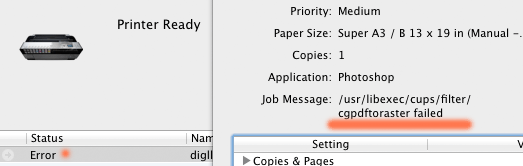
Cannot Print With Epson Stylus Pro 3800

Status: working.
The confusing and circular-loop Epson support page failed to provide any help whatsoever in resolving this issue. My past experience with Epson support was such a laughable failure that I have not attempted to call Epson on this one.
This discussion involves the ETHERNET connection, NOT the use of USB. The drivers are different.
I have deleted the printer setup and redone it, I have reinstalled the Epson software (which appears moribund in its maintenance), etc. No luck, and nothing in the system log to explain it. My Epson Workforce 840 prints just fine under Lion.
This is one of many reasons why I warned professionals to stay away from OS X Lion for at least 3 months. I have no choice, I need to report on it here on this site.
Solution
I finally found a solution that requires the command line (Terminal), and this nukes all printer related stuff, so use only as a last resort.
lpstat -p | cut -d' ' -f2 | xargs -I{} lpadmin -x {}