


 SEARCH
 diglloydTools™


|

|

|

|

|

$220 SAVE $130 = 37.0% Western Digital 16.0TB Western Digital Ultrastar DC HC550 3.5-in… in Storage: Hard Drives
|

|

|

|

|
Monitoring How Much Memory Is Used

Note: Activity Monitor in OS X Mavericks has changed in appearance and certain terminology. See Using Activity Monitor in OS X Mavericks.
When there is not enough real memory, the system has to “swap” memory to and from the hard disk so as to share the real memory between programs, which slows everything down tremendously. This is called paging, or virtual memory paging.
You can check the actual real memory usage of an application in Apple’s (Activity Monitor is available in ).
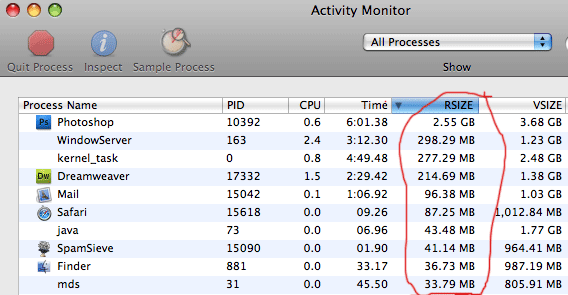
The or column (same thing) shows the amount of real memory the program is using on the memory chips. To show the — column, right-click (control-click) on the column header and select it. The name changes from to depending on the width of the column—it’s the same thing!
Below we can see that Photoshop is using 2.55GB and Dreamweaver is using 215MB at that particular moment. Actual usage could be higher when activity is taking place, so observe the usage when programs are actually in use, have files open, etc. Ignore the figure.
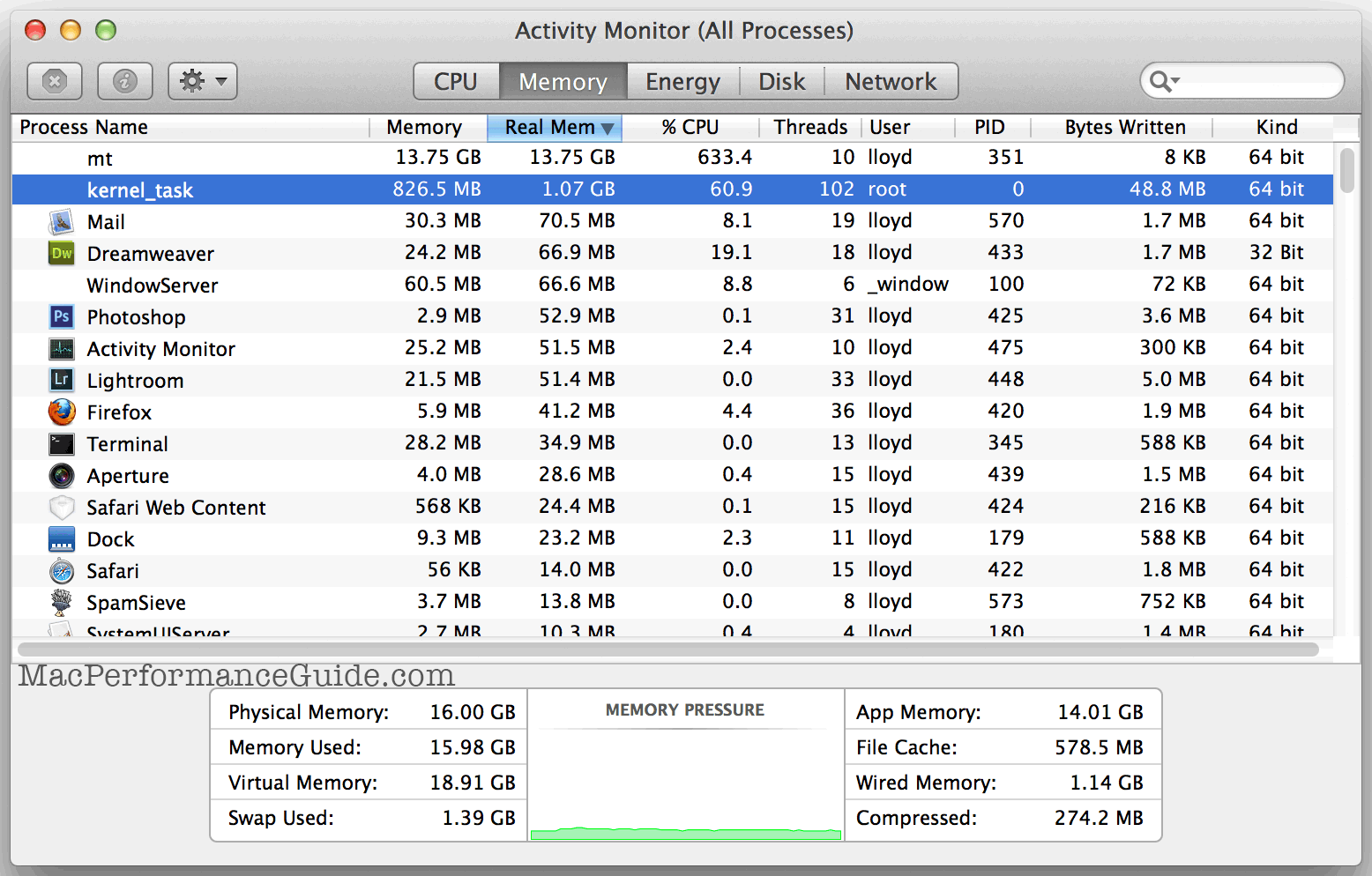
OS X 10.9 Mavericks moves to compressed memory. This should be thought of as similar to Page Outs in earlier OS X version; it indicates that the system is under memory stress.
In my typical workday, I might simultaneously run Photoshop CS5, Digital Photo Professional, Capture NX 2, Photoshop, DreamWeaver, Mail, Safari and a few other programs all at once. Of course, the system itself runs quite a few other “daemon” and background programs. A typical usage scenario is shown below.
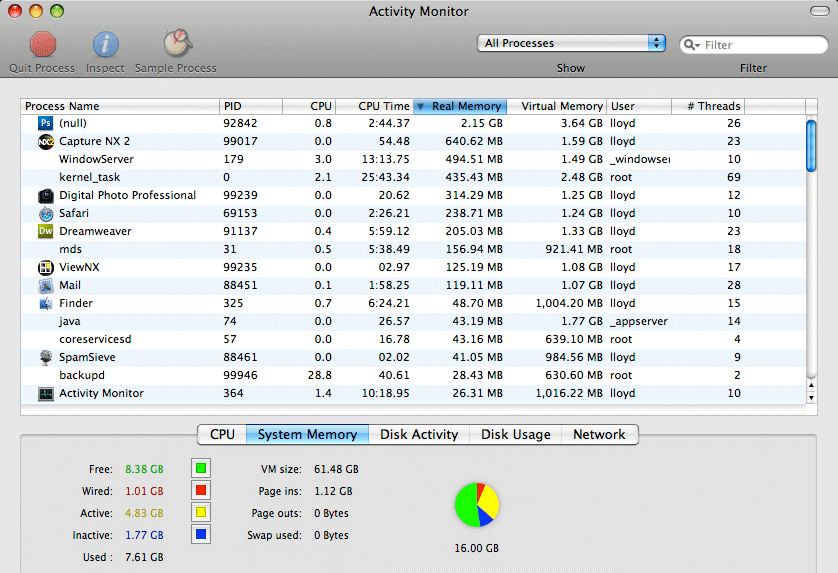
Note that out of 16GB (above), nearly 8GB of memory is being used in one way or another. Here’s your guide to what the terms mean:
- The memory is completely unused.
- The memory is locked down and cannot be shared, or swapped to disk (system software and drivers require memory).
- The memory is actively being used by programs and/or the system software.
- Typically means that the memory has been used to cache disk I/O. This is not a waste, it can greatly speed up some programs, like Photoshop.
- Ignore this; it’s a summary statistic.
- The and are useful: ideally these numbers stay a zero (but it’s normal for a small amount of paging to occur). If you see the numbers increasing steadily, install more memory; the system is being forced to swap data from real memory onto disk to share the real memory among programs. Check them before and after a time-consuming task: if they’ve changed more than a few percent, then you almost certainly will benefit from installing more memory. Ignore .
Starting programs, running commands, etc will increase the memory requirements. The column is the one that matters—that’s the actual space the program is using in the memory chips.
Seagate 22TB IronWolf Pro 7200 rpm SATA III 3.5" Internal NAS HDD (CMR)
SAVE $100
