
 SEARCH
 diglloydTools™

|

|

|

|

|
Bookmarking the BigCharts Main Page

This discussion assumes the web site BigChart.com, which is what I use.
Bookmarking a stock is easy, but there is one key point:
Because of the way the site works (the URL), you must bookmark a BigCharts.com chart page starting at the main page.
Bookmarking the main page
If you first draw the chart, then change the symbol in the box, the URL does not contain the change, and you’ve instead bookmarked the wrong page. This is just the annoying way that BigCharts.com has worked forever.
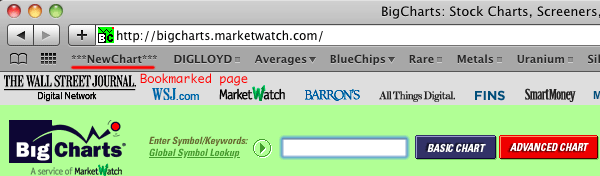
For convenience, I bookmark the bigcharts.com main page, placing a button into my Bookmarks Bar in the browser as shown below, so that I can click on this anytime in order to go to the main bigcharts.com page.
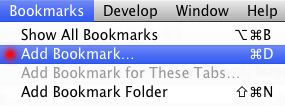
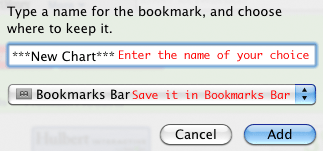
Go to https://bigcharts.marketwatch.com/, then choose from the menu. Name the bookmark whatever you like, I’ve called it in order to visually separate it from the other items.