
 SEARCH
 diglloydTools™


|

|

|

|

|
Optimizing Virtual Memory Performance

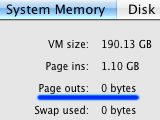
When the Mac runs low on memory, it is forced to write and read the contents of the memory chips to disk, which is very, very slow. This is called virtual memory, and the write/read activity is called swapping, specifically the writes are called page-outs and reads are called page-ins.
You can see if your Mac is “paging” by opening Activity Monitor and viewing the Tab in the main window.
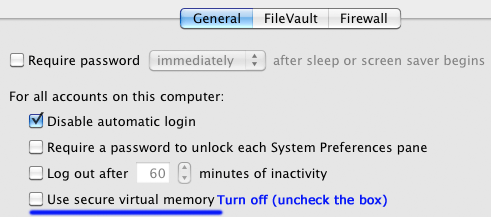
Speedup — disabling “Secure virtual memory”
Applies only to older versions of OS X — forced on in later versions.
Since virtual memory writes to disk, in theory it could write memory containing passwords, etc. Later, a nefarious type could read unused blocks off disk, hoping to find such information.
But unless you work for the CIA or a drug kingpin, this probably is not at the top of your list of concerns. And if your Mac crashes, this is all for naught anyway, since it won’t know which pages to erase once it reboots. Anything needing that level of security should never go onto a laptop anyway (though irresponsible jackasses are happy to jeopardize your private information in more basic ways).